
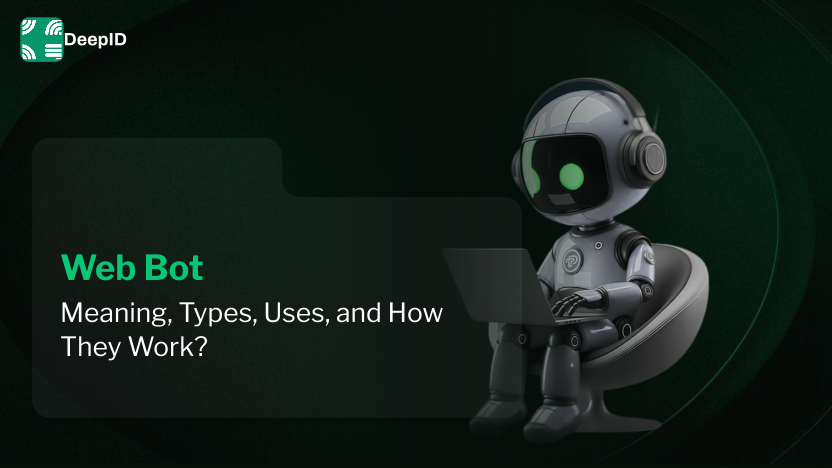
Web Bot: Meaning, Types, Uses, and How They Work?
Vijay Kandari
Digital Marketing Executive
Summarize this article with
Web bots are all over the internet, and form a sizable portion of the internet traffic that is not human. It consists of automated systems. Are all bots bad? Those who help you locate what you want on Google or check your favorite store for a sale? Certainly not. In this blog, we will discuss what a web bot is, how they operate, and why understanding them is essential for anyone using or building for the web.
What is a Web Bot?
A weblog bot is an application that is able to carry on and complete an internet task automatically. These internet tasks are generally simple and repetitive. Internet bots are able to carry on these tasks at a higher speed and at a larger scale than a human ever could.
What does a web bot do? What is usually carried by a human, i.e., reading and clicking. Think of them as automated web users. These bots are able to perform a higher scale and a higher speed than a human.
The most important thing to remember is that a bot is a tool. It is neither inherently good nor bad. Its value depends on what it is programmed to do.
How Web Bots Work
Web bots operate based on a basic "client-server" model. When you use a web browser, your computer (the client) sends a request to a website's computer (the server). The server sends back the information, and your browser shows you the page.
A web bot does the exact same thing, but it does not need a screen or a mouse. Here is the simplified process:
Sending Requests: The bot sends an HTTP request to a specific URL.
Receiving Responses: The server responds by sending the website's code (HTML, CSS, and data).
Parsing Data: The bot "reads" the code to find specific information or links.
Action: Based on its script, the bot might save data, follow a link to a new page, or fill out a form.
Bots scale tasks by running many requests at the same time. They follow strict scripts that tell them exactly what to do if they encounter an error or a specific type of data.
Types of Web Bots
Not all bots are the same. They are usually categorized by the job they perform.
1. Web Crawler Bot
A web crawler bot, also known as a spider, is used to discover and index content. Search engines like Google and Bing use these bots to browse every corner of the internet. They move from one link to another, "crawling" through websites to understand what each page is about. Without these bots, search engines would not know which websites to show you when you search for something.
2. Web Scraping Bot
A web scraping bot is designed to extract specific data from websites. For example, a company might use a scraping bot to check the prices of competitors every hour. These bots "scrape" the price and product name and save it into a database. This is common in research, price comparison, and market analysis.
3. Web Browser Bot
A web browser bot is more advanced. While some bots just read code, these bots actually simulate a full browser environment. They can "click" buttons, wait for animations to finish, and interact with complex apps. Developers often use these for automated testing to make sure a website works correctly before it goes live.
4. Good Bots vs. Bad Bots
Good Bots: These provide value to the internet. They include search engine crawlers, site monitors (which check if a site is down), and feed fetchers (which update your news apps).
Bad Bots: These are used for malicious reasons. Examples include spam bots that post fake comments, "scalping" bots that buy up all the tickets for a concert, and attack bots that try to crash websites by overwhelming them with traffic.
Real-World Use Cases
Web bots are used in almost every industry. Here are a few ways they help businesses and users:
Search Engine Optimization (SEO): Bots index websites so users can find them. They also check for broken links and site speed.
Price Comparison: When you use a site to find the cheapest flight, bots are working in the background to pull prices from hundreds of airlines instantly.
Data Analytics: Researchers use bots to gather large amounts of information from social media or news sites to track trends.
Customer Support: Many "chatbots" are web bots that interact with users on a site to answer common questions without needing a human agent.
Risks and Challenges
While bots are helpful, they also create challenges for website owners.
Server Overload: If a bot visits a site too quickly, it can slow down the website for real human users. This is why many sites have "Rate Limiting" to slow bots down.
Security Risks: Bad bots can try to "guess" passwords by trying thousands of combinations a second. This is called a brute-force attack.
Fake Traffic: Bots can inflate view counts on videos or click on ads, which costs advertisers money for "fake" interactions.
Data Theft: Some companies do not want their data scraped by competitors, leading to a constant "cat and mouse" game between scrapers and site security.
Web Bot Authentication: A Smarter Way to Manage Bots
One of the biggest problems on the internet today is telling the difference between a "good" bot, a "bad" bot, and a human. This is where Web Bot Authentication comes in.
In the past, websites looked at simple things like an IP address or a "User-Agent" string (which is a label the bot gives itself). However, bad bots can easily lie about these things. They can change their IP or pretend to be a normal Google Chrome browser.
Newer, more secure methods use cryptographic signatures. In simple terms, a "good" bot (like one from a verified company) can carry a digital "ID card." When it visits a website, it presents this signature. The website can verify this ID instantly using math (cryptography). This proves the bot is who it says it is and that it belongs to a trusted source. This makes it much easier for websites to let the good bots in while blocking the bad ones.
How to Create a Web Bot: A Basic Overview
If you are interested in automation, you might wonder how to create a web bot. For beginners, the process follows four basic steps:
Choose a Language: Python is the most popular language for bots because it has many tools (libraries) that make it easy to talk to websites.
Send Requests: You use a library (like requests in Python) to ask a website for its data.
Parse the Code: You use a tool (like BeautifulSoup) to look through the HTML code and find the specific text or links you want.
Automate: You write a loop that tells the bot to repeat these steps for many different pages or at specific times.
If you need a bot to interact with a site like a human (clicking buttons), you would use a tool like Selenium or Playwright. These are essentially web browser bots that you can control with code.
Conclusion
Web bots are automation tools that do the same action over and over in a way that humans never could. They range from useful things like crawlers for search engines to really harmful things like spam bots. However, these bots do data scraping essentials and price comparison, but they can cause a ton of overactive server requests and security risks. Existing tools like Web Bot Authentication can help a ton because they allow websites to confirm trusted bots versus simple IDs. We are in a constant, never changing battle between automation and identification.
All article tags
Related Articles
September 28, 2026
What is Behavior Analysis and how does it prevent fraud?
September 10, 2026
How to Prevent Password Sharing: A Complete Guide for SaaS & Streaming Platforms
August 31, 2026
How to Prevent Coupon Fraud? Effective Strategies

August 27, 2026
DoT SIM Binding Mandate Explained: Compliance Guide for Communication Apps (2026)
Identify your web and
mobile traffic in minutes
Collect visitor IDs and signals instantly for free,
or reach out to our team for a demo.
250+
countries and territories where we identified devices_
4 Billion +
unique browsers and mobile devices identified_
50 Million +
real-time device intelligence API events per day processed_