
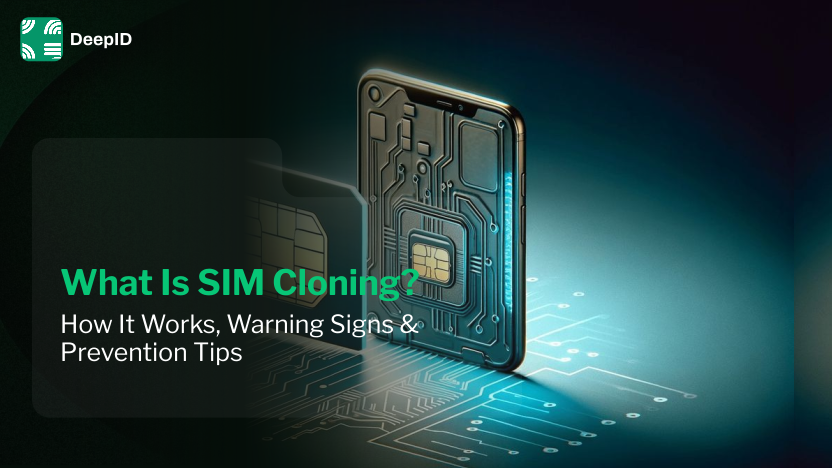
What Is SIM Cloning? How It Works, Warning Signs & Prevention Tips
Vijay Kandari
Digital Marketing Executive
Summarize this article with
We all use smartphone it carriers our banking apps, digital wallets, personal messages, and account information. If a fraudster succeeding do SIM cloning, he can receive OTPs and gain control over your account. In Mumbai, a company lost 7.5 crore rupees due to OTP interception. Whether it is SIM cloning, Swapping, email phishing, or other fraud. You must be aware of such fraud. This guide helps you understand SIM cloning, how it works, and protection.
What is SIM Cloning?
SIM Clonning is a process of duplicating the unique subscriber information stored on a SIM card, such as International Mobile Subscriber Identity (IMSI) and other authentication information.
If successful, the cloned SIM can impersonate the original subscriber on a mobile network. It allows attackers to intercept calls, SMS messages, and one-time passwords (OTPs).
Note: Modern 4G and 5G SIM cards are protected by strong encryption, so SIM cloning is rare. In many reported cases, attackers use SIM swapping or phishing instead of technically cloning a SIM card.
How does SIM cloning work?
Here is how a fraudster clones a SIM:
SIM Data Collection
A fraudster needs IMSI and Ki to clone a SIM. It is the most difficult step because Ki is not easy to obtain or read.
Copying data onto a Programmable SIM
The obtained information is written onto a programmable SIM Card through special hardware and software. The new SIM now contains the same subscriber identity as the original.
Connecting to Networks
This copied SIM is inserted into the mobile device. This helps fraudsters to authenticate with the mobile network using the copied credentials. Depending on the network, either the original or the cloned SIM may receive calls, text messages, and SMS based OTP. It helps them in OTP abuse.
How to Check If Your SIM Is Cloned?
These are the common signs of SIM Cloning:
Lost Network: If your mobile device suddenly loses signal, and you cannot make or receive calls or texts.
Unrequested OTPs: You receive unexpected one-time passwords (OTPs) or account verification codes.
Account Lockouts: You are suddenly locked out of your bank, email, or social media accounts.
Unauthorized Changes: You get notice of a financial transaction or a new device added without your knowledge.
How to Protect Yourself From SIM Cloning?
You can protect yourself from SIM cloning by following these tips:
Set a Carrier PIN: Call your mobile operator and request a verbal password, Port Out PIN, or SIM Lock. It helps you prevent unauthorized transfers of your phone number to a new device.
Enable a SIM PIN on Your Phone
Prevent physical SIM theft through your phone settings. Just find the SIM PIN or Lock SIM option, then set a passcode. If someone steals the physical SIM Card. They won’t be able to use it on another phone without this PIN.
Remove SMS 2FA: Another prevention tip is to switch all essential accounts away from SMS verification, because hackers can intercept these codes.
Beware of Phishing: Phishing is used for stealing mobile information, so never share any sensitive information related to your phone, including ICCID.
Monitor for Service Loss: If a sudden network loss occurs, it can be an indication of SIM cloning. If it happens to you, immediately contact your service provider.
What to do if you suspect SIM Cloning?
If you notice unusual activity related to your mobile number, take action immediately to reduce the risk of financial loss and account compromise.
Contact your mobile Operator Immediately
Call your mobile provider and report the issue. Ask them to temporarily block your SIM.
Block and replace SIM Card
Request a new SIM to prevent attackers from receiving calls, messages, or OTPs.
Change Passwords for Important Accounts
Review recent transactions and report any suspicious activity to your bank immediately. Use strong passwords for each account.
Secure Your Banking and Payment Accounts
Review your recent transactions and report any suspicious activity to the bank immediately. If required, temporarily freeze the cards or online banking access.
Enable Multi-Factor Authentication
Whenever possible, use an authenticator app or a hardware security key instead of SMS-based OTPs. These authentication methods are generally more secure because they do not rely on your mobile number.
Conclusion
SIM cloning is indeed rare in the modern day. Still, we heard about fraud and abuses. It occurs when a fraudster copies the physical SIM data to blank or programmable cards. You can protect yourself from such fraud with awareness and by following the prevention tips that are mentioned above. If you get suspicious about SIM clonning or SIM, immediately contact the provider and block the SIM.
FAQs
Ques: What Is SIM Cloning?
Ans: It is a process of extracting the unique data and cryptographic keys from a physical SIM card and copying them onto a blank or programmable SIM card.
Ques: Can a SIM Really Be Cloned?
Ans: Yes, it is indeed quite difficult to clone a modern SIM as they have IMSI and cryptographic information that is very hard to copy. If a fraudster gains access and copies this, SIM cloning is possible.
Ques: How Does SIM Cloning Work?
Ans: Frausdter collects IMSI and Ki of the SIM and copy paste it to the new or programmable SIM. After that inset into the mobile device to receive calls, messages, and OTPs.
Ques: What Is the Difference Between SIM Cloning and SIM Swapping?
Ans: Sim Swapping refers to the social engineering in which an attacker tricks your carrier to transfer number to a new SIM card.
SIM cloning occurs when a fraudster physically copies the SIM data IMSI and Ki to a new SIM Card through hardware or duplication.
Ques: How can I prevent SIM Cloning and SIM-related fraud?
Ans: You can prevent SIM clonning and SIM related fraud through:
Setting a carrier PIN or Port out PIN.
Enabling a SIM PIN on your phone.
Using an authenticator app instead of SMS OTPs.
Never share OTPs or SIM details.
Being cautions of phishing calls, emails, and messages.
All article tags
Related Articles
September 28, 2026
What is Behavior Analysis and how does it prevent fraud?

September 10, 2026
How to Prevent Password Sharing: A Complete Guide for SaaS & Streaming Platforms
August 31, 2026
How to Prevent Coupon Fraud? Effective Strategies
August 27, 2026
DoT SIM Binding Mandate Explained: Compliance Guide for Communication Apps (2026)
Identify your web and
mobile traffic in minutes
Collect visitor IDs and signals instantly for free,
or reach out to our team for a demo.
250+
countries and territories where we identified devices_
4 Billion +
unique browsers and mobile devices identified_
50 Million +
real-time device intelligence API events per day processed_